How to create a wishlistUpdated 7 months ago
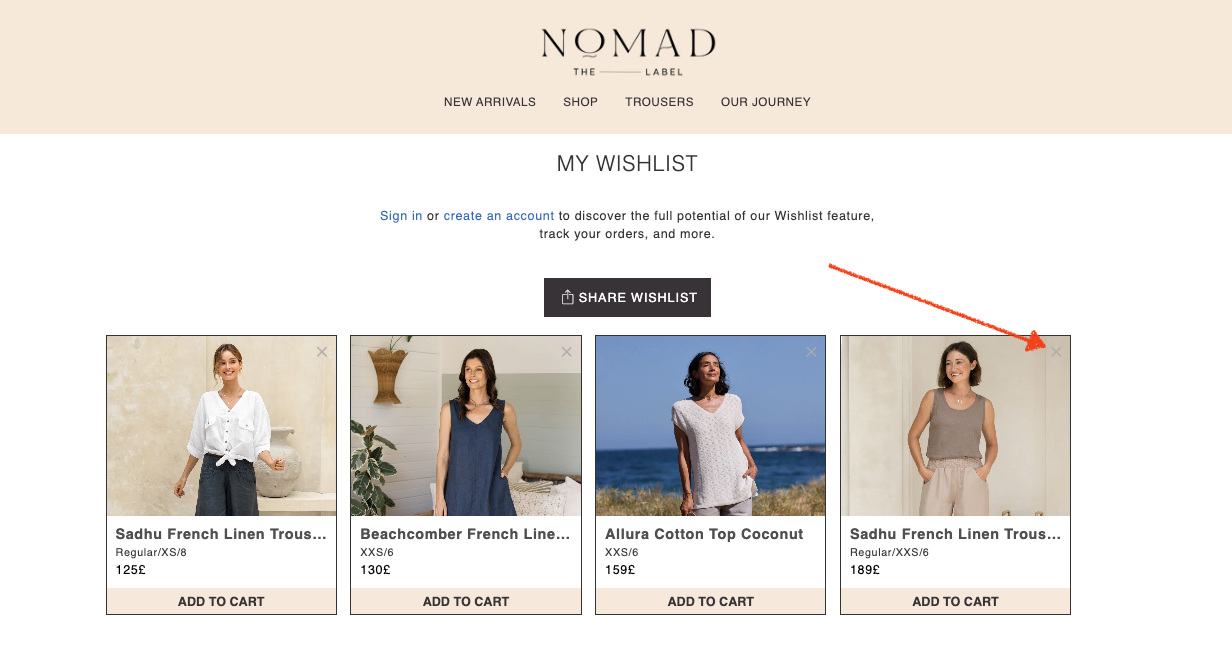
Wishlist lets you keep track of all your favourites and shopping activities, whether you're on your computer, phone, or tablet. You won't have to waste time searching all over again for that item you loved on your phone the other day - it's all here in one place!
When you browse our collection page, you can click the heart icon at the top of each image to add that product to your wishlist.

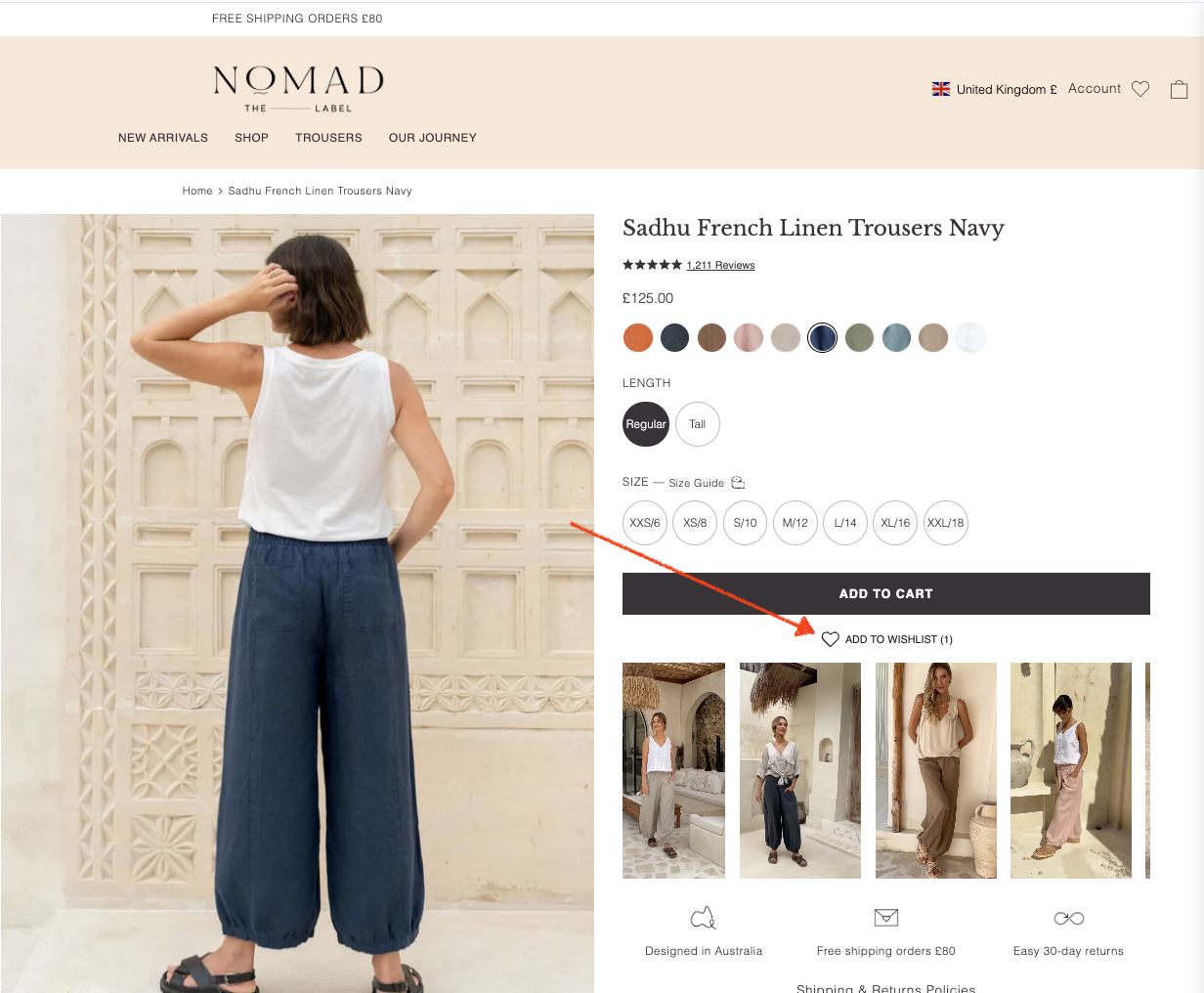
If you're on a product page, you can click 'Add to Wishlist' under the 'Add to Cart' button to add the item to your wishlist.
Please note that adding an item to a Wishlist does not guarantee its pricing or availability. The price or availability may change between the time you add the item to your Wishlist and when you go to purchase it. When you buy it, the item will be removed from your list.
If you want to remove an item from your Wishlist, simply click the close button (x) at the top of the product image.